


How to set up your Smartlet: a complete step-by-step guide

Founder & CEO, Smartlet - CentraleSupelec engineer - Concours Lepine 2025, Awarded - CES 2026
Table of contents
- What Smartlet is and what it is not
- What you need before you start
- Unboxing your Smartlet One
- Step 1 - Remove your mechanical watch strap
- Step 2 - Connect the watch adapters
- Step 3 - Attach the smartwatch to the adapter
- Step 4 - Attach the strap to your mechanical watch
- Step 5 - Wear and position on your wrist
- What to expect in your first week
- Sport and high-impact activities
- Common questions during setup
- Preguntas frecuentes
- Recommended reading
Puntos clave
| Topic | Key point |
|---|---|
| Setup time | Under 5 minutes once familiar with the spring bar tool |
| Tool required | Spring bar tool only |
| Strap | Two strap threads through the adapter - no separate smartwatch band needed |
| Compatibilidad | Any mechanical watch with 18-24mm standard spring bar lugs |
| Apple Watch note | Requires the adapter included with your Smartlet - Apple Watch uses a proprietary sliding connector |
| Sport | For high-impact activity, keep your Apple Watch on its standard strap for that session |
| Charging | Each watch charges independently - Smartlet changes nothing |
You just received your Smartlet One. The box is on your desk. Your Rolex Submariner, your Omega Seamaster, your Seiko, whichever mechanical watch brought you here, is on your wrist. Your smartwatch is somewhere nearby. In fewer than five minutes, both will be on the same wrist at the same time. This guide walks you through every step, from unboxing to first wear, without skipping anything that matters.
"Setup was super easy. Less than 3 minutes to get it going on the first try."
What Smartlet is and what it is not
Before touching a spring bar tool, one clarification saves confusion later. Smartlet is a modular strap adapter, a precision-machined piece that sits between your mechanical watch and your smartwatch. It is not a watch. It does not charge anything. It does not connect to your phone. It does not modify either watch in any way.
Function-wise, it does little more than to hold your watch through the lugs, and to hold your smartwatch via a standard spring bar attachment. Both watches remain entirely independent. Your mechanical watch keeps ticking as it always has. Your smartwatch tracks your data as it always has. The Smartlet simply makes wearing both physically possible and aesthetically coherent.

Three versions exist. The Classic (349 EUR) is brushed SS316L stainless steel. The Shadow (449 EUR) is black PVD-coated SS316L. The Titanium (599 EUR) is Grade 2 titanium. All three share identical dimensions. The difference is finish and material, nothing else.
What you need before you start
Gather these before you begin:
- Your Smartlet One (any version)
- Your mechanical watch
- Your smartwatch
- A spring bar tool (provided in the kit)
- A clean, flat surface - a folded cloth or watch cushion works well
If your smartwatch is an Apple Watch, you also need the adapter included with your Smartlet. Apple Watch uses a proprietary sliding connector rather than a standard spring bar system. The adapter converts that proprietary connection to a standard spring bar, which then attaches to the Smartlet lug slot. The adapter is in the box.
Any standard spring bar tool works. Watch repair shops, online watch retailers, and many general tool suppliers stock them for under 15 EUR, but you have one provided in the kit. If you already change watch straps yourself, you have one. If this is your first strap change, take two minutes to practice on a strap you are not precious about before working on a valuable piece.
Unboxing your Smartlet One
The Smartlet arrives in a compact box. Inside you will find the adapter unit itself, a QR code for instructions, and, if your order included Apple Watch compatibility, the proprietary connector adapter in the small velvet pouch. Some orders also include extra pairs of watch adapters.

Take a moment to look at the adapter before installing it. You will see two lug slots at the top, where the mechanical watch adapters attach. Two additional lug slots at the bottom accept the smartwatch adapters. The mechanical watch sits on top of the wrist; the smartwatch positions below it when worn.
Step 1 - Remove your mechanical watch strap
Place your mechanical watch face-down on the cloth. Remove the current strap, both the top half and the bottom half, from the watch lugs.
Using the forked end of your spring bar tool, compress the spring bar pin on one side of the strap end. The pin compresses inward, releasing the strap from the lug. Repeat on the other side. The strap end lifts free. Do this for both the 12 o'clock and 6 o'clock ends.
"The only tricky part is compressing the spring bars out of the watch band. Depending on the specific watch model, the lug clearance can be tight. On something like a Submariner or Seamaster, work slowly, keep the tip of your tool engaged, and do not force anything."
Step 2 - Connect the watch adapters
Use the quick release system on the Smartlet adapters and insert them between the lugs, and release the mechanism to place the pin in the holes. Then, pull strongly on the adapters on each side to check that they are securely inserted in the holes.

Step 3 - Attach the smartwatch to the adapter
Your smartwatch attaches to the bottom lug slots of the adapter using their Smartlet adapters as well.
For most smartwatches (Samsung Galaxy Watch, Garmin Forerunner, Huawei Watch, Polar, and others with standard 18-24mm spring bar connections): remove the existing band from your smartwatch and place the Smartlet adapter between the lugs with the quick release system.
For Apple Watch: Apple Watch does not use spring bars. It uses a proprietary sliding connector. Take the adapter included with your Smartlet. Slide it into the Apple Watch band slot as you would any Apple Watch band, until it clicks. Use the spring bar at the adapter other end to attach the Smartlet adapter.
Some other smartwatches, like Samsung Galaxy Classic 8 or Google Pixel, may also require specific adapters to make them compatible with a 20mm or 22mm standard lugs system. You can purchase them separately online.
Apple Watch bands come in two connector families: small (38/40/41/42mm case) and large (42/44/45/46/49mm case, including Ultra 3). The adapter included with your Smartlet matches the Apple Watch size you specified at checkout. Additional adapters are available separately via Smartlet accessories.
Once the smartwatch is attached, confirm the adapters are fully seated: pull strongly on the adapters on each side to check that they are securely inserted in the holes.
Step 4 - Attach the strap to your mechanical watch
Now the full assembly, connect your watch by locking a Smartlet strap thread on each side: just push firmly the end of the strap thread into the Smartlet adapter until you hear a click and see the buttons on the side of the strap fully popping out. Do the same on one of the side of the Smartwatch (make sure that the watch and the smartwatch crown are on the same side).

Step 5 - Wear and position on your wrist
Put the watch on your wrist as you normally would. The mechanical watch face presents in the dial-up position. The Smartlet adapter and smartwatch sit on the underside of the wrist.
The default orientation has the smartwatch dial facing upward, readable when you rotate your wrist to check notifications. The optical sensor on the smartwatch back maintains direct skin contact for accurate heart rate and health data.
Positioning fine-tuning: when you connect the watch the first time, you may notice that the strap is too loose or too tight, or does not even want to close. You can just use the provided precision screwdriver to add or remove links by screwing them or unscrewing them on the side. Keep the balance between both threads, ideally they should have the same number of links, but depending on your wrist size, you can have no more than 1 link of difference between each side.

What to expect in your first week
The first day feels different. You are aware of the slightly different profile on the wrist. This is normal. Your wrist has memory for what it expects, and a new geometry takes a few days to become background information rather than foreground sensation.
By day three, most users stop noticing the dual setup during ordinary activities. By the end of the first week, the setup becomes natural, the same way wearing glasses becomes natural, or wearing a mechanical watch becomes natural after a period of not wearing one.
The most different part is getting used to wear it and remove it, as the gesture is different from other systems. Always remember the law of gravity, and hold your wrist slightly twisted when you open it so the system holds on your hand, and then pull the complete system off by lifting it.
- Charging: Each watch works independently, exactly as before. Smartlet changes nothing about charging routines. The smartwatch detaches in seconds, push the buttons on the side of the bracelet, lift it free, charge it, reattach.
- Skin contact: The smartwatch sensor requires direct skin contact. If your smartwatch is reporting erratic readings, confirm the sensor is not being too loose on your wrist. A slight size adjustment typically resolves this.
- Notifications: Your smartwatch functions exactly as before. Haptic alerts, notifications, and app functions are unaffected. The sensor position under the wrist actually places haptic vibrations closer to the pulse point, which some users find more perceptible than the standard wrist-top position.

Sport and high-impact activities
Just like any metal band, Smartlet is not recommended for high-impact sport. Running, cycling, gym sessions, and general training are fine for most users, but contact sports, martial arts, and activities with significant wrist impact are a different category.
For high-impact activity, keep your Apple Watch on its standard strap for that session. Detaching the smartwatch from the Smartlet takes under a minute. Your mechanical watch stays on its strap. Your smartwatch goes back to its standard band for the workout. After the session, reattach to the Smartlet.
Common questions during setup
The Apple Watch adapter will not slide in cleanly. Apple Watch band connectors have a specific insertion angle. Hold the adapter parallel to the watch case back and slide it in from the side, not at an angle. It should slide smoothly until the release button clicks.
My smartwatch sensor readings seem inconsistent. Skin contact is the key variable. Tighten the strap slightly so the smartwatch back maintains firm contact with the underside of your wrist. Gaps caused by a loose strap are the most common cause of erratic optical sensor readings in any wrist-worn position.
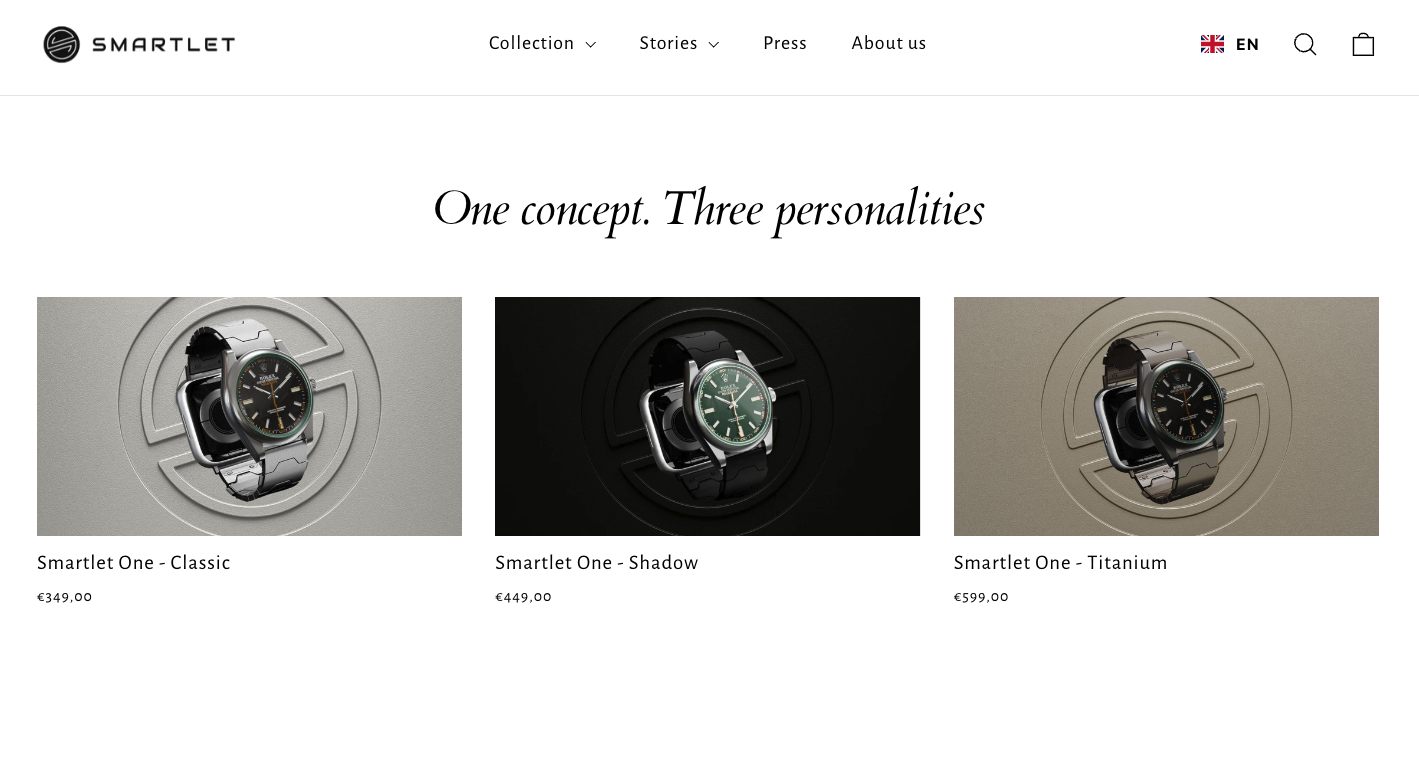
Your Smartlet is set up. Both watches are on the same wrist. The Smartlet system makes that possible without asking you to leave either one behind.
Frequently asked questions
Do I need any special strap to use the Smartlet?
No. Smartlet is a strap and requires you to remove your original strap.
Can I use the Smartlet with my Apple Watch Ultra 3?
Yes. Apple Watch Ultra 3 uses the large Apple Watch connector family (49mm case). The adapter included with your Smartlet for Apple Watch compatibility handles this. Attach the adapter to the Apple Watch Ultra 3 band slot, then attach to the Smartlet bottom lug slots via the standard spring bar at the adapter other end.
How do I charge my smartwatch while using the Smartlet?
Detach the smartwatch from the Smartlet bottom slots, charge as normal, and reattach. Many users do this overnight when the mechanical watch is also off the wrist. Nothing about the Smartlet affects charging circuits or wireless charging capability.
Will my smartwatch heart rate sensor work correctly in this position?
Yes. The optical sensor on most smartwatches is designed to read from the underside of the wrist, and the Smartlet positions the sensor exactly there. Skin contact is the critical variable, keep the strap at a comfortable but snug tension so the sensor back maintains consistent contact.
How do I remove the Smartlet if I want to wear just my mechanical watch?
You do not remove it, you just replace the smartwatch with the standard clasp provided in the kit. It can also work for your smartwatch to wear it independently of your mechanical watch.
Is there a risk of scratching my watch case during installation?
The spring bar tool requires care near any watch case, whether you are installing a Smartlet or a standard strap. Working on a soft cloth surface reduces the chance of the tool slipping. The Smartlet adapter itself does not contact the watch case. The risk profile is identical to any standard strap change.


