


La meilleure montre connectée pour les agents immobiliers : guide complet

Fondateur & PDG, Smartlet - Ingénieur CentraleSupelec - Concours Lépine 2025, Lauréat - CES 2026
Table des matières
- Pourquoi chaque agent immobilier a besoin d'une montre intelligente
- Comment choisir la bonne montre intelligente pour votre flux de travail
- Configurer votre montre intelligente pour une productivité sans distraction
- Utiliser votre montre intelligente pour optimiser les interactions clients et les visites de propriétés
- Notre avis : bien utiliser les montres intelligentes dans l'immobilier
- Prochaines étapes : Améliorez votre activité avec la bonne solution de montre
- Questions fréquemment posées
Points clés
| Point | Détails |
|---|---|
| Restez concentré sur le client | Une montre intelligente correctement configurée vous permet de répondre rapidement sans perdre le contact avec votre client. |
| Choisissez en fonction de la compatibilité | Sélectionnez Apple Watch pour iPhone ou Galaxy Watch pour Android, en privilégiant les fonctionnalités CRM et d'accès aux propriétés. |
| Minimisez les distractions | Personnalisez les notifications pour que seules les alertes critiques retiennent votre attention lors des visites ou des réunions. |
| Améliorez le flux de travail des propriétés | Utilisez votre montre intelligente pour prendre des notes de prospects, planifier des visites et contrôler l'accès aux propriétés sans effort depuis votre poignet. |
Marcus avait son téléphone dans sa poche pendant toute la visite de 45 minutes. Le prospect a envoyé deux messages texte, appelé une fois, et a signé avec un autre agent au moment où il est sorti. Cette seule fenêtre manquée lui a coûté un mandat de 620 000 $. La différence entre Marcus et l'agent qui a conclu cette affaire ? Un coup d'œil au poignet. Les montres intelligentes sont devenues discrètement l'un des outils les plus pratiques dans la trousse d'un agent immobilier, offrant des notifications silencieuses, le filtrage d'appels sans les mains et l'accès au CRM sans jamais sortir le téléphone. Ce guide vous explique comment choisir, configurer et utiliser une montre intelligente pour rester concentré sur le client et réactif à chaque étape.
Pourquoi chaque agent immobilier a besoin d'une montre intelligente
Le scénario se répète constamment. Un agent est en pleine conversation avec un acheteur, expliquant la disposition de la cuisine ou montrant un espace, tandis qu'un prospect l'appelle dans sa poche. L'ignorer risque de perdre une opportunité sensible au facteur temps. Y répondre devant un client semble impoli. La montre intelligente élimine complètement ce dilemme.
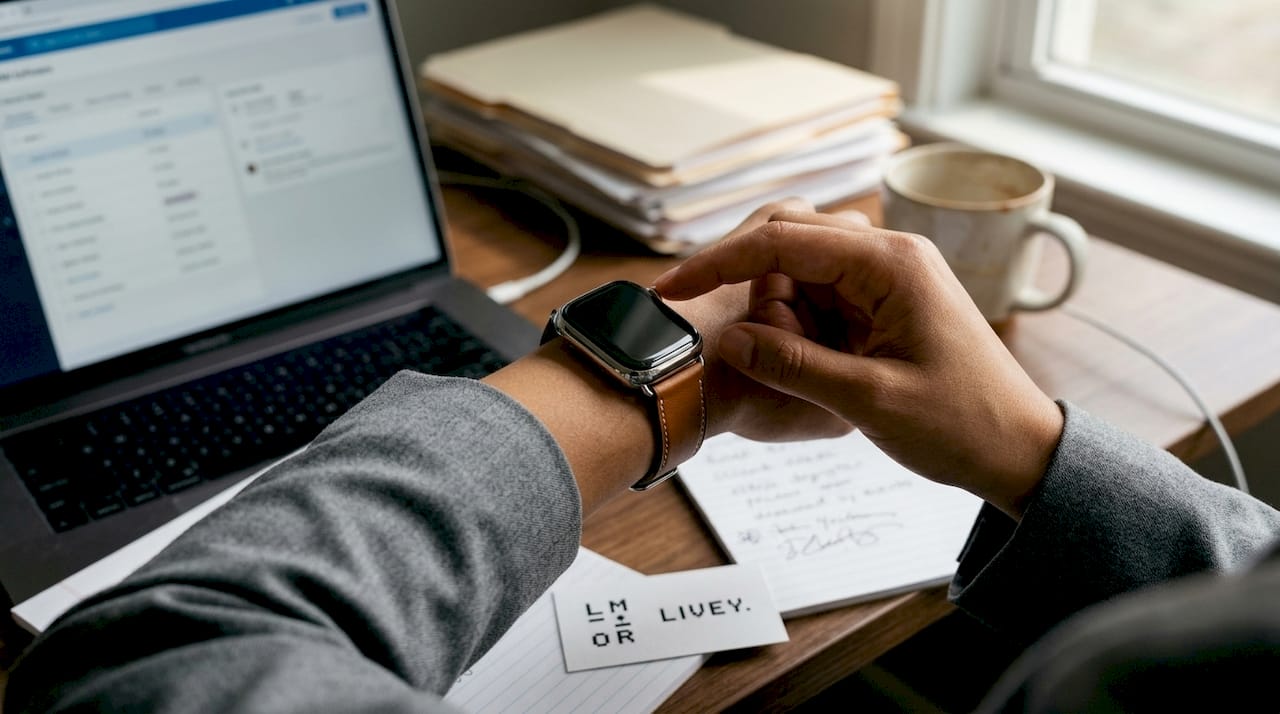
Les agents qui portent une montre restent silencieusement productifs tout au long des interactions avec les clients. Un coup d'œil au poignet à chaque geste livre des aperçus de messages, des alertes d'appels et des notifications de prospects. Le contact visuel avec le client reste ininterrompu. Le téléphone reste dans la poche.Les montres intelligentes permettent une productivité silencieuse
La recherche montre que 78 % des acheteurs travaillent avec le premier agent qui répond. L'entreprise moyenne met plus de 900 minutes pour répondre à un prospect. Répondre dans les 5 minutes augmente considérablement la probabilité de qualifier ce prospect. Une montre intelligente rend cette fenêtre de réponse réalisable même pendant une visite.
Smartlet permet aux amateurs de montres de porter leur montre mécanique de luxe tout en portant simultanément une Apple Watch sur le même poignet. Développée par David Ohayon, ingénieur de précision français et collectionneur de montres, la solution convient à tous ceux qui apprécient une montre mécanique de luxe et ont besoin de connectivité intelligente pour des situations professionnelles. Aucun compromis n'est nécessaire.Apple Watch
« La réactivité est un facteur clé de la fidélité des clients, cité par plus de 70 % des meilleurs producteurs. » - Rapport NAR Technology
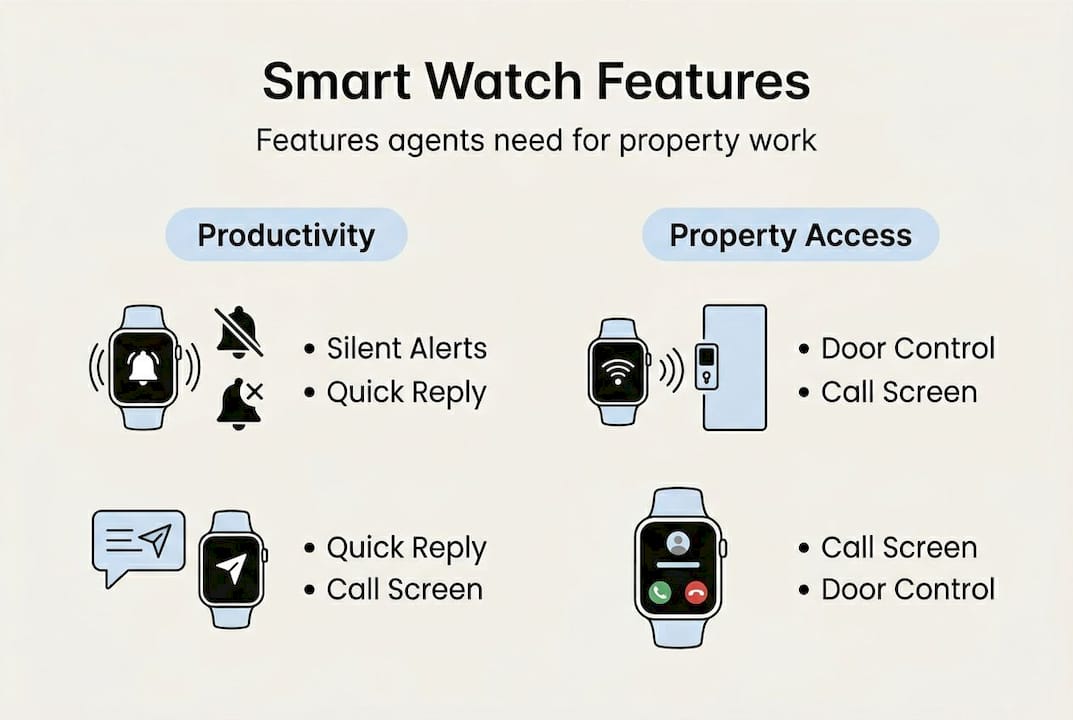
Voici ce qu'une montre intelligente correctement configurée gère pour vous au cours d'une journée type :
- Aperçu silencieux des textes et e-mails entrants
- Alertes de calendrier pour les visites programmées
- Filtrage d'appels avec acceptation ou refus en un seul geste
- Mises à jour du statut des prospects du CRM depuis le poignet
- Accès aux propriétés via des applications intégrées
- Réponse vocale pour des réponses clients rapides
Les agents qui associent une montre intelligente à leur montre mécanique ont observé que les clients remarquent rarement la technologie. Ce que les clients remarquent, c'est que l'agent ne semble jamais distrait. Cette perception d'attention indivise crée la confiance plus rapidement que n'importe quelle technique de vente.montre intelligente aux côtés d'une Rolex
Comment choisir la bonne montre intelligente pour votre flux de travail
Choisir une montre connectée pour l'immobilier est différent de choisir une montre pour un usage général. Trois modèles se distinguent pour les agents : Apple Watch, Samsung Galaxy Watch et Garmin. Chacun présente un profil distinct et une adéquation différente selon votre façon de travailler.
Apple Watch est le meilleur choix pour les utilisateurs d'iPhone. Son système de notification est précis, l'interface est épurée et l'écosystème des applications immobilières est bien développé. RealtyBuddy CRM permet aux agents d'enregistrer des notes de porte-à-porte et de mettre à jour le statut des prospects en temps réel directement depuis le cadran de la montre.RealtyBuddy CRM
La Samsung Galaxy Watch s'intègre aux systèmes de contrôle d'accès immobilier, notamment ButterflyMX, ce qui la rend particulièrement utile pour les agents gérant des immeubles multi-unités, des copropriétés ou des résidences sécurisées. Les utilisateurs Android trouveront le couplage simple et intuitif. La Samsung Galaxy Watch intègre le contrôle d'accès aux propriétés
| Fonctionnalité | Apple Watch | Samsung Galaxy Watch | Garmin |
|---|---|---|---|
| Plateforme | iOS uniquement | Android | iOS et Android |
| Notifications | Excellentes | Très bonnes | Basiques |
| Technologie immobilière | Modérée | Forte (ButterflyMX) | Limitée |
| Compatibilité CRM | Élevée (RealtyBuddy) | Modérée | Faible |
| Style pour les visites | Élégant | Professionnel | Sportif/Volumineux |
| Gamme de prix | 299 $ à 799 $ | 249 $ à 649 $ | 199 $ à 599 $ |
Garmin est un choix de niche adapté aux agents couvrant de grandes propriétés rurales ou des parcelles de terrain où la précision des limites GPS est importante. Pour les visites urbaines et les réunions clients, le volume tend à sembler déplacé aux côtés d'une montre habillée.
Les agents qui portent actuellement une montre habillée et souhaitent la conserver peuvent l'associer à une Samsung Galaxy Watch via l'adaptateur modulaire Smartlet. La même configuration fonctionne avec un couplage Breitling pour un look plus distingué et sportif. Configuration de la Samsung Galaxy WatchBreitling
Choisissez un style de montre intelligente qui reflète votre image de marque personnelle. Un tracker de fitness volumineux dans un bien de luxe envoie le mauvais signal. Assortissez la montre à l'environnement.
Fonctionnalités essentielles à rechercher :
- Aperçus de notifications en temps réel
- Synchronisation du calendrier et des contacts
- Filtrage d'appels et refus en un seul geste
- Compatibilité avec les applications CRM
- Intégration technologique immobilière (accès aux portes)
- Résistance à l'eau et à la sueur pour les visites en extérieur
Configurer votre montre intelligente pour une productivité sans distraction
La configuration prend moins de 20 minutes. Commencez par seulement les notifications dont vous avez vraiment besoin. Ajoutez des fonctionnalités progressivement selon les demandes de votre flux de travail.Configuration des notifications essentielles uniquement
Voici les étapes de configuration principales :
- Appairez votre montre à votre iPhone ou téléphone Android via Bluetooth dans l'application compagnon : l'application Watch pour les appareils Apple, Galaxy Wearable pour Samsung.
- Activez la synchronisation du calendrier et l'accès aux contacts pour que les rappels de réunion et les appels clients apparaissent directement sur votre poignet.
- Téléchargez RealtyBuddy CRM ou votre application CRM préférée et connectez-vous pour terminer la connexion.
- Installez votre application d'accès aux propriétés (ButterflyMX ou équivalent) pour tous les biens qui nécessitent un accès numérique aux portes.
- Désactivez toutes les autres alertes. Autorisez uniquement les notifications de prospects, les rappels de calendrier et les messages directs des clients à passer.
- Activez le mode Ne pas déranger avec un remplacement programmé couvrant vos heures de visite principales.
- Définissez les alertes haptiques uniquement. Aucun son lors des visites clients.
| Type de notification | Paramètre recommandé |
|---|---|
| Demande de prospect (nouvelle) | Activée, prioritaire |
| Message texte client | Activée, prioritaire |
| Rappel de réunion/visite | Activée, standard |
| E-mail (général) | Désactivée pendant les visites |
| Réseaux sociaux | Toujours désactivée |
| Actualités et mises à jour d'applications | Toujours désactivée |
Les agents qui choisissent de porter une montre intelligente aux côtés de leur Omega décrivent l'adaptateur Smartlet comme le point où l'analogique et le connecté ont cessé de rivaliser. Les deux pièces restent au poignet. Aucune ne perd son objectif.montre intelligente aux côtés d'une Omega
Désactivez toutes les notifications sauf les alertes de réunion et les nouveaux prospects pendant les fenêtres de visite active. Utilisez les gestes de balayage du poignet ou la réponse vocale pour la rapidité quand vous devez répondre rapidement entre les pièces. Gardez la luminosité de l'écran faible pendant les visites.
Utiliser votre montre intelligente pour optimiser les interactions clients et les visites de propriétés
Le gain le plus immédiat est la gestion d'appels sans les mains. Un seul geste refuse silencieusement un appel entrant et l'achemine vers la messagerie vocale. La conversation avec le client continue sans interruption. Le prospect reçoit un rappel dès que la visite se termine.
La Samsung Galaxy Watch s'intègre à ButterflyMX et aux systèmes de contrôle d'accès similaires. Les agents peuvent déverrouiller les portes d'immeubles, répondre aux interphones visiteurs et gérer les appels d'accès directement depuis leur poignet. Pour les agents couvrant plusieurs unités en une seule après-midi, le gain de temps s'accumule rapidement.
RealtyBuddy CRM sur Apple Watch vous permet d'enregistrer des notes de porte-à-porte et de mettre à jour le statut des prospects entre les maisons sans ralentir.
Voici comment envoyer une mise à jour client et enregistrer un prospect depuis votre montre lors d'une visite :
- Levez votre poignet pour réveiller l'écran.
- Balayez vers votre application CRM (RealtyBuddy ou équivalent).
- Sélectionnez le prospect ou le contact actif dans la liste.
- Appuyez sur le champ de statut pour sélectionner Suivi, Intéressé ou Absent et confirmez. Temps total du lever du poignet à l'entrée enregistrée : moins de 15 secondes.
- Utilisez la dictée vocale pour ajouter une courte note.
- Confirmez et baissez votre poignet. Temps total : moins de 15 secondes.
Autres façons d'utiliser votre montre lors de visites de propriétés :
- Définissez un rappel de visite 10 minutes avant chaque rendez-vous pour arriver composé, pas pressé.
- Déclenchez les directions automatiques vers la propriété suivante depuis votre poignet sans ouvrir votre téléphone
- Capturez des notes vocales rapides sur l'état de la propriété ou les réactions des clients entre les pièces. Relisez-les pendant ou après l'inspection pour vous assurer que rien n'est oublié.
- Les alertes de vibration silencieuse vous gardent conscient du temps pendant les visites sans nécessiter une vérification du téléphone.
Les agents qui portent une Seiko ou une Breitling via l'adaptateur Smartlet rapportent que les clients commentent souvent la configuration avec une véritable curiosité. Cela amorce des conversations plutôt que de causer une distraction.montre intelligente avec une Seikomontre intelligente avec une Breitlingcoût des notifications retardées
Notre avis : bien utiliser les montres intelligentes dans l'immobilier
La plupart des agents chargent leur montre intelligente du même flux constant de notifications qu'ils ont acheté pour éviter. Ce n'est pas un problème technologique. C'est un problème de configuration.
Les agents qui tirent une véritable valeur de leur montre connectée l'utilisent comme un filtre, pas comme un flux. Ils décident à l'avance quelles informations sont pertinentes pour une visite et configurent la montre en conséquence. Les mises à jour moins pertinentes sont reportées et examinées plus tard.
Établir des limites claires pour les notifications et maintenir une configuration polie et intentionnelle gagne régulièrement plus de respect des clients et améliore l'efficacité opérationnelle. C'est ce que montrent les données des meilleurs producteurs.
« Un poignet immobile lors d'une visite dit à votre client qu'il est la priorité. Tout le reste peut attendre. »
Les agents qui réussissent sont ceux qui utilisent leur montre avec intention. Leur professionnalisme réside dans leur silence tandis que la technologie fonctionne discrètement en arrière-plan.comment porter une montre intelligente avec une montre de luxe en toute sécurité
Prochaines étapes : Améliorez votre activité avec la bonne solution de montre
L'étape suivante consiste à vous assurer que votre configuration correspond à votre image professionnelle et à vos demandes quotidiennes.
L'adaptateur modulaire breveté de Smartlet résout l'équation du double port. Portez votre Omega, Cartier Santos ou toute référence mécanique de luxe aux côtés de votre Apple Watch ou Galaxy Watch sur le même poignet, en acier brossé SS316L ou titane Grade 2, s'adaptant à toute largeur de cornes de 18 à 24 mm.
Parcourez le guide de compatibilité complet pour trouver votre appairage exact et explorez la gamme d'accessoires pour personnaliser votre configuration de terrain. L'agent qui répond en premier remporte le client. Assurez-vous que rien ne ralentit cette réponse.guide de compatibilitésolutions de montres modulairesaccessoires pour Smartlet One
Recommandé
- Porter une montre intelligente avec votre Rolex
- Porter une montre intelligente avec votre Omega
- Porter une montre intelligente avec votre Breitling
- Comment les notifications retardées coûtent des revenus aux professionnels
- Comment porter une montre intelligente avec une montre de luxe en toute sécurité
Articles stars
No people found
We couldn’t find anything with that term. Please try again.


