


How smartwatches keep event managers calm and connected

Founder & CEO, Smartlet - CentraleSupelec engineer - Concours Lepine 2025, Awarded - CES 2026
Table of Contents
- What makes smartwatches essential for high-pressure event management
- Preparation: setting up your smartwatch for event success
- Execution: real-time coordination without compromising style
- Troubleshooting and common mistakes
- What most event tech guides miss: the real value of smartwatches
- Upgrade your event toolkit without losing style
- Frequently asked questions
Key takeaways
| Point | Details |
|---|---|
| Smartwatches enhance discretion | Event managers use smartwatches to coordinate without disrupting style or professionalism. |
| Effective emergency response | Vibrating alerts and panic buttons allow staff to react swiftly in crisis situations. |
| Preparation is crucial | Pairing, app setup, and battery management are essential for reliable performance. |
| Troubleshooting matters | Proactive steps prevent battery, connectivity, and privacy issues from derailing events. |
| Style meets function | Modular straps and brand compatibility guides let professionals maintain elegance with modern tech. |
You are standing at the entrance of a 500-person gala, earpiece in, thirty minutes to doors. Your florist is late, the AV technician needs a decision, and the VIP guest of honor just arrived twenty minutes early. Reaching for your phone means turning your back on a room full of clients and signaling that something is wrong. But staying quiet means missing the next alert. This is the exact tension event managers live every day, and it is the reason smartwatch adoption among event professionals is accelerating fast.
What makes smartwatches essential for high-pressure event management
Traditional tools create visible stress. A phone pulled from a jacket pocket during a speech tells every nearby guest that the person managing their experience is distracted. A radio crackles and carries sound across a quiet reception. Neither option supports the professionalism that a high-end conference or gala demands.
Smartwatches solve this with subtlety. Event managers use them primarily for discreet real-time notifications, communication, and health monitoring, allowing them to stay connected without pulling out their phones and maintaining both professionalism and style throughout.
The practical advantages are significant:
- Silent vibration alerts that no guest can hear or see.
- Hands-free access to messages, schedules, and speaker updates. Hands-free access
- Wrist-level panic buttons for instant SOS to your whole team. Wrist-level panic buttons
- Staff GPS visibility on coordinated venue maps.
- Health monitoring to catch your own stress spikes before they affect your decisions. Health monitoring
What makes the smartwatch format especially powerful is the response speed. According to festival staff tracking data, wearable alert systems enable vibrating notifications for emergencies like "Medical emergency at Gate C," alongside panic buttons for quick distress signals and targeted team notifications that supplement radio communication entirely. In stadium or gala settings, that kind of targeted, silent alert architecture is the difference between a crisis quietly resolved and a visible disruption.
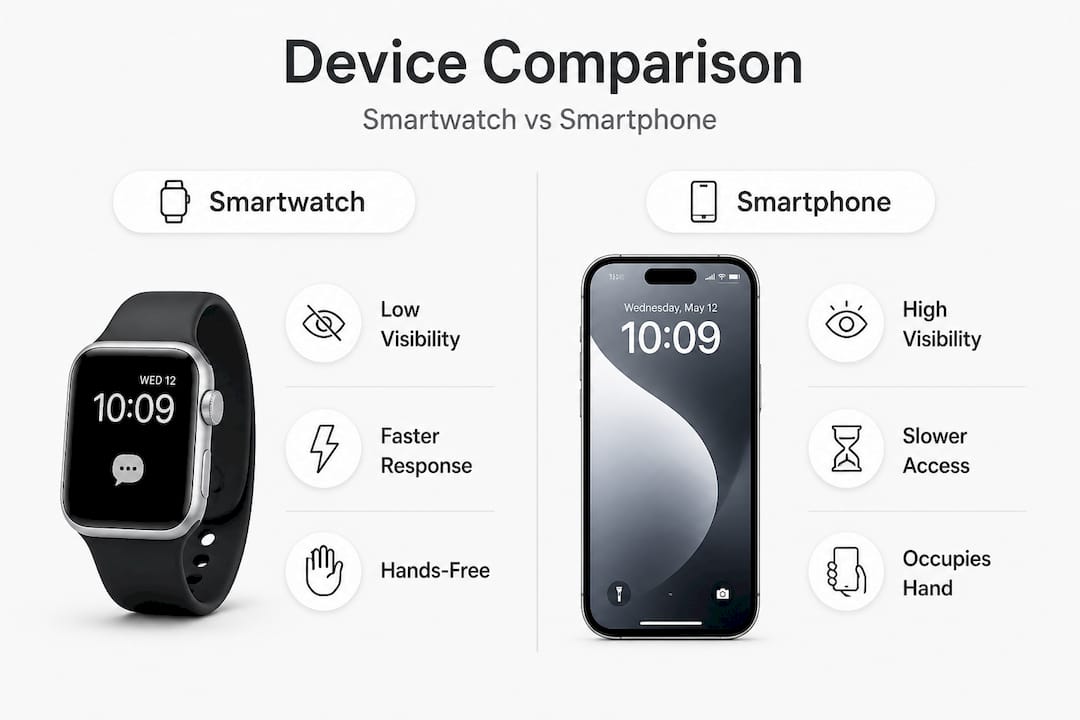
Here is a direct comparison between the tools most event managers currently use:
| Feature | Smartwatch | Smartphone | Radio |
|---|---|---|---|
| Visibility to guests | Low (wrist, discreet) | High (screen, gesture) | High (device + sound) |
| Alert type | Silent vibration | Sound or vibration | Audio only |
| Two-way messaging | Yes | Yes | Limited |
| Emergency SOS | Yes (panic button) | Yes (slower) | Yes (audible) |
| Style at formal events | High | Medium | Low |
| Hands-free operation | Yes | No | Partial |
| GPS team tracking | Yes | Yes | No |
For event managers running smartwatch strategies for coordination, the choice becomes clear. The smartwatch removes friction from the communication loop without creating social friction with guests. smartwatch strategies for coordination
Preparation: setting up your smartwatch for event success
Knowing the benefits is one thing. Getting your device actually ready for a 10-hour event day is another. Preparation is where most teams fail, usually because they treat the smartwatch as an afterthought rather than a primary coordination tool.
Start with this setup checklist before every major event:
- Pair every team member's device at least 48 hours in advance, not the morning of. Pair every team member's device
- Install your event management app (options include Slack, WhatsApp Business, or dedicated platforms like CrowdCompass or Bizzabo). Install your event management app
- Switch to vibrate-only mode and disable all audio notifications. Switch to vibrate-only mode
- Set custom notification filters so only critical alerts reach your wrist. Set custom notification filters
- Charge to 100% the night before and identify charging windows during setup. Charge to 100% the night before
- Test your emergency alert flow with a full team dry run.
The Havas case study from the AdForum Worldwide Summit is one of the clearest examples of what intentional setup looks like at scale. 47 Moto 360 smartwatches were connected via a Bluetooth server network for phone-free real-time communication, customized watch faces, live event schedules, and data science-based networking suggestions among all participants. The key technical insight from that event was the use of a distributed server infrastructure, which prevented the connectivity degradation that typically hits consumer Bluetooth in dense crowds.
Here is a practical setup overview for a conference or gala environment:
| Setup element | Recommended option | Connection type | Battery consideration |
|---|---|---|---|
| Team messaging | Slack or WhatsApp | Cellular or Wi-Fi | Moderate drain |
| Event schedule | Native calendar or app | Synced, offline-capable | Minimal drain |
| Emergency alerts | Dedicated SOS app | Bluetooth mesh or cellular | Low drain |
| GPS coordination | Google Maps or event app | Cellular | High drain |
| Health monitoring | Native watch sensor | On-device | Low drain |
For hotel ballrooms or convention centers, request a distributed Wi-Fi access point layout from your AV team in advance. This mirrors the Havas approach and ensures your smartwatch stays connected in the dense signal environment typical of 500-person gatherings. A single central router will drop connections exactly when you need them most.
You should also check the smartwatch compatibility guide for your specific device before the event, particularly if you plan to wear a luxury timepiece alongside your connected watch. Some configurations work better than others depending on lug width and strap setup. smartwatch compatibility guide
Execution: real-time coordination without compromising style
Your watch buzzes. You glance down for two seconds, read "VIP arriving at side entrance, 5 min," and shift position without saying a word. No phone. No radio. No disruption. That is the execution standard smartwatch coordination makes possible.
Here is how a well-prepared event manager uses the device in real time:
- Timing alerts: Receive automated notifications 15 minutes before each program segment, prompting silent team repositioning. Timing alerts:
- SOS response: When a panic button triggers, your watch vibrates with the sender's name and location code, letting you respond with a pre-set acknowledgment message in one tap. SOS response:
- VIP management: Custom contact groups let you receive alerts only from your VIP liaison during critical arrival windows. VIP management:
- Medical emergency protocol: A designated health alert channel can route urgent messages directly to you and your head of security simultaneously, bypassing the general team channel. Medical emergency protocol:
- Health self-check: Monitor your own heart rate and stress indicators during high-pressure moments to stay composed. Health self-check:
The preference for this kind of workflow is well-documented. Event professionals at conferences favor Apple Watches specifically for discreet email checks and seamless communication without phone distraction, particularly during busy schedules where every visible gesture matters.
"No phone fiddling, just prompt wrist updates" is not just a preference. At a formal gala, it is a professional standard. Your guests read every gesture you make. A clean wrist glance communicates control. A phone check communicates uncertainty.
Beyond communication, real-time health monitoring via smartwatch is becoming increasingly relevant for event teams in high-pressure environments. Smartwatches provide real-time heart rate and stress indicators that can alert team commanders to vital sign thresholds, enabling timely interventions. For an event manager managing a 10-hour gala solo or with a small team, knowing when to step back and breathe is genuinely valuable data. real-time health monitoring
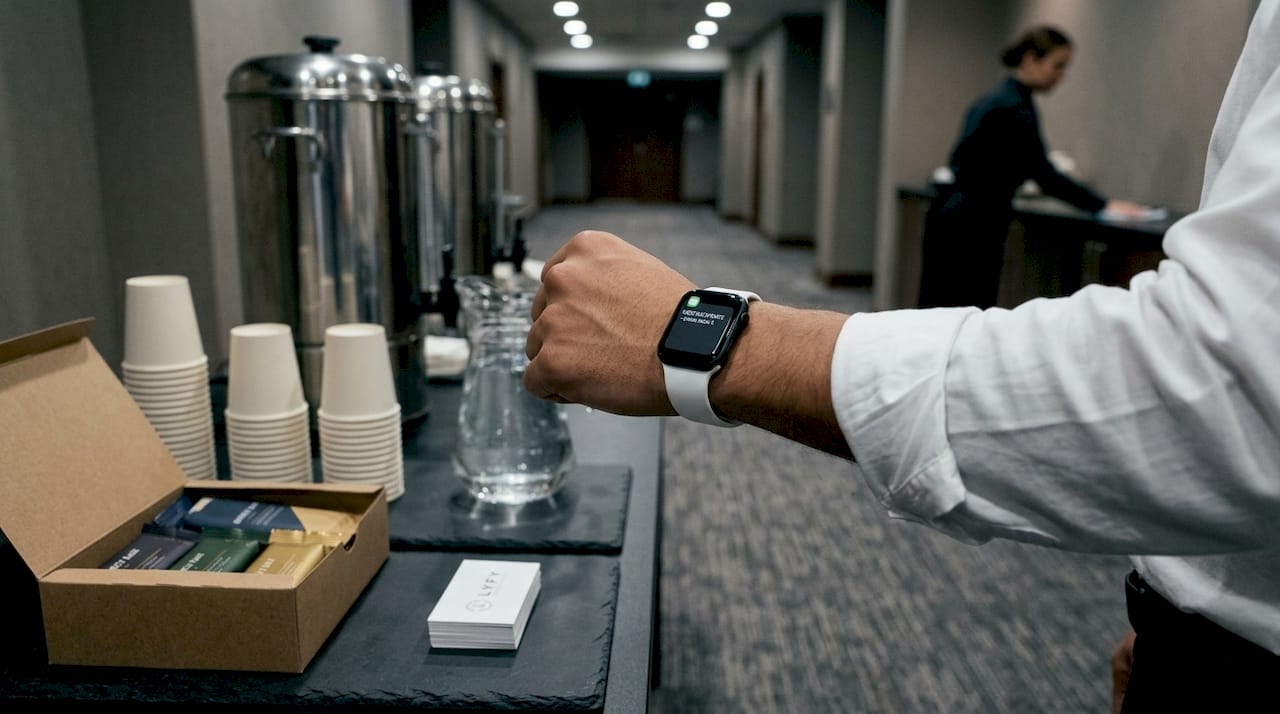
Create a tiered alert system before the event. Assign colors or vibration patterns if your device supports them: one buzz for informational, two for action needed, continuous vibration for emergency. This lets you interpret alerts without even reading the screen, keeping your eyes and attention fully on your guests.
The style dimension matters too. Consider pairing your health monitoring sensors and smartwatch functionality with a formal dress watch so your wrist looks appropriate for the occasion. A bulky sports smartwatch with a rubber strap signals gym, not gala. The right hardware setup preserves the visual standard your event demands. health monitoring sensors
Troubleshooting and common mistakes for event managers
Even flawless setups run into problems. Here are the most common issues event managers face with smartwatches during live events and how to handle each one.
Common issues and their fixes:
- Battery drain mid-event: Enable power-saving mode after the first three hours. Disable always-on display. Schedule a 20-minute charging window during setup or dinner service. Battery drain mid-event:
- Connectivity loss in crowded venues: Use a distributed server or mesh Wi-Fi setup as outlined in the Havas case study. Pre-download schedules offline so the device still functions during signal drops. Connectivity loss in crowded venues:
- App crashes or notification delays: Test every app integration the day before the event, not the morning of. Have a fallback messaging method agreed on with your core team. App crashes or notification delays:
- Notification overload: Filter aggressively. Only three channels should reach your wrist during a live event: emergency alerts, VIP updates, and timing cues. Everything else waits. Notification overload:
- Privacy concerns from staff: Some team members are uncomfortable with GPS tracking or biometric data sharing. Address this in your pre-event briefing with clear opt-in language and limited data use policies. Privacy concerns from staff:
Wearable tracking at events shows faster SOS response times of around 30 seconds compared to traditional radio relay, but privacy and data security concerns in staff tracking are real considerations that must be addressed proactively.
Not everyone on your team will embrace the technology immediately. Industry research acknowledges that some professionals avoid wearables entirely due to discomfort with constant connectivity, preferring traditional watches instead. This is a legitimate preference. The solution is not to mandate adoption, but to offer smartwatch coordination as the primary channel while keeping a secondary protocol for team members who opt out.
Run a 30-minute live simulation with your full team two days before the event. Use real alerts, real locations, and real response flows. This single practice session will surface 80% of your technical and behavioral issues before they become problems in front of your guests.
What most event tech guides miss: the real value of smartwatches
Most guides for event technology focus on features: battery life specs, app compatibility lists, screen resolution. These details matter, but they miss the point entirely for professional event managers.
The real value of a smartwatch at a gala or conference is not the technology. It is the posture it enables. When your team communicates silently and moves with precision, guests read the environment as calm and controlled. That perception is worth more than any feature spec. It is the product you actually sell.
"Guests do not buy a calm event. They buy the perception of one. That perception is built on every silent gesture your team makes during the night."
There is also an uncomfortable truth about style that most tech-focused guides ignore. A smartwatch in a rubber sports strap at a black-tie gala is a mistake, full stop. The device's functionality is irrelevant if its presence undercuts the visual standard of the event. The professionals who understand this wear their smartwatch with a dress watch, using a modular strap to carry both on one wrist, maintaining both the connected functionality they need and the formal aesthetic their clients expect.
The contrarian view also deserves respect. Some senior event directors still prefer traditional watches for formal occasions, and there are good reasons for that choice. A mechanical watch worn with intention signals experience and aesthetic confidence. But refusing all connectivity because of a style concern is an overcorrection. The real answer, and the one most guides miss, is that you do not have to choose. Smartwatch monitoring and formal watch aesthetics can coexist on the same wrist with the right hardware.
The final thing guides miss is the team dimension. Individual adoption of a smartwatch is useful. Coordinated team adoption with shared alert protocols and pre-established communication architecture is transformative. The 30-second SOS response time is not a device feature. It is the result of a team that practiced the flow and trusts the system.
Upgrade your event toolkit without losing style
Event managers who want the coordination advantages of a smartwatch without sacrificing the dress watch they worked hard to earn no longer have to choose between the two.
The Smartlet modular watch strap makes it possible to wear both watches on the same wrist, at the same moment. Engineered in brushed SS316L steel and Grade 2 titanium, the patented bracelet fits any watch with 18 to 24mm lug width and standard spring bars, with no modification to either piece.
The Shadow version at 399 EUR is the natural choice for event managers: matte black PVD finish, sleek, minimal, and built to sit correctly under a suit jacket without drawing attention. Classic at 299 EUR and Titanium at 549 EUR cover the full range. Check the brand compatibility guide to confirm your watch is supported. Smartlet modular watch strapShadow version at 399 EURClassicTitaniumbrand compatibility guide


