


手首のアラートで生産性とスタイルが変わる

TL;DR:
- 手首への通知は、情報を素早く目立たず届けることで、社会的な摩擦と認知的負荷を軽減します。
- モジュール式のソリューションにより、ラグジュアリーウォッチとスマートウォッチを一つの手首に組み合わせ、スタイルと機能性を両立させることができます。
- 通知をアクション可能な形にカスタマイズすることで、気が散るのを最小限に抑え、プロフェッショナルな環境での集中力を高めることができます。
バイヤーの78%が、最初に返信したエージェントと契約を結びます。この一つの統計が、ポケットからスマートフォンを取り出すのに費やす一秒一秒の意味を根本から変えます。時計コレクターやクライアントと向き合うプロフェッショナルにとって、このジレンマはリアルなものです。ロレックス サブマリーナーやランゲ1は、あなたの価値観のすべてを語ってくれる——それでも、受信トレイは待ってくれません。 一目でわかる手首への通知 健康的な行動を促進し、認知的負荷を軽減する可能性を示しており、アナログの職人技とデジタルの知性が同じ手首に、同じ瞬間に共存しながら、それぞれのアイデンティティを失わない未来を指し示しています。
目次
- 一目でわかるアラートが重要な理由:素早い手首の一瞥に隠された科学
- スタイルと実用性の融合:スマートディスプレイと高級時計の統合
- 集中力を高める最適なアラート:通知のカスタマイズ方法
- 日常のシーンで実感:最適なリストスクリーンが行動を変える
- デュアルウォッチソリューションが現代のプロフェッショナルの成功を再定義する理由
- 洗練されたスタイルと実用性を、あなたの手首に
- よくある質問
重要なポイント
| ポイント | 詳細 |
|---|---|
| より速く、よりスマートな回答 | 手首で確認できるグランサブル通知は、スマートフォンを確認する場合と比べて、行動力と生産性を高めます。 |
| スタイルに妥協は不要 | モジュール式またはハイブリッドソリューションを活用することで、高級時計とスマートテクノロジーを融合させることができます。 |
| フォーカスのフィルターアラート | 重要な通知だけを受け取れるようにアラートをカスタマイズして、デジタルの煩わしさを最小限に抑えましょう。 |
| 実証済みの実際のメリット | 研究によると、リストアラートは負荷の高い日常的なシーンにおいて、健康に関する通知やタスクへの反応を向上させることが示されています。 |
一目でわかるアラートが重要な理由:素早い手首の一瞥に隠された科学
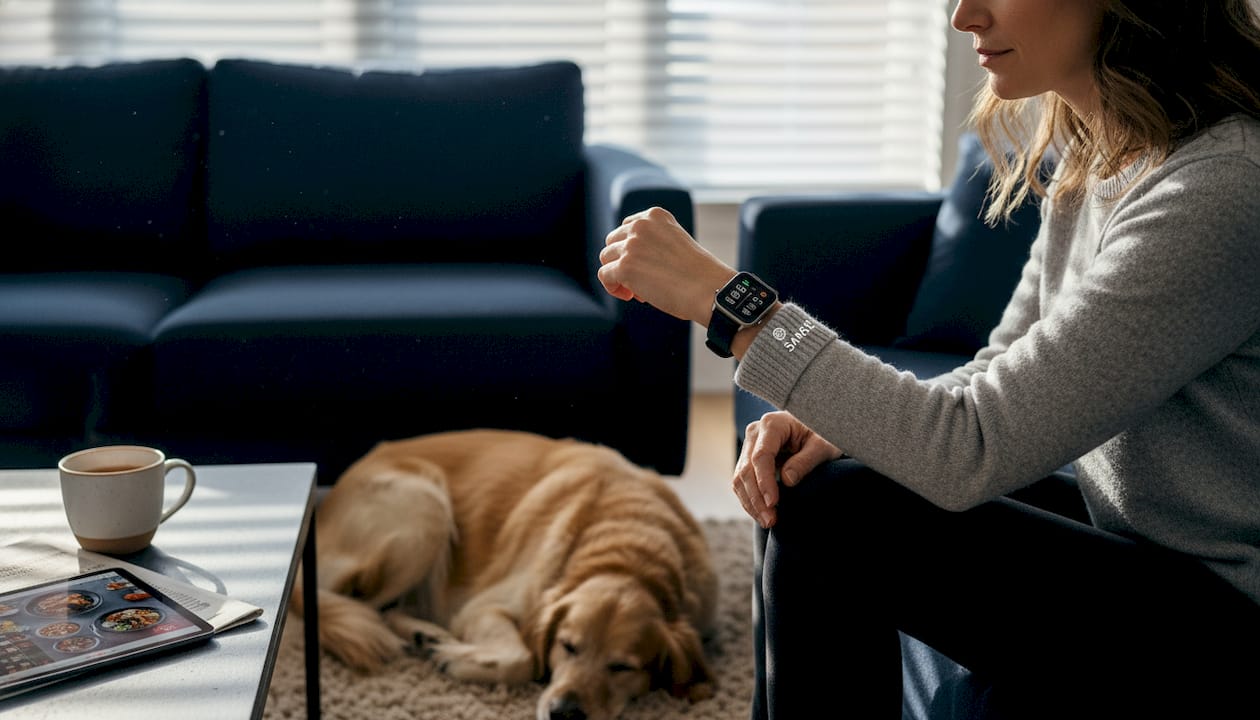
会議中にスマートフォンを取り出す行為は、社会的なシグナルを発しています。「今、別のことに気を取られています」というメッセージを周囲に伝えてしまうのです。一方、手首をちらりと見るだけなら、周りにほとんど何も悟られることなく、同じ情報を2秒以内に確認できます。この非対称性こそが、手首への通知を支持する核心的な理由であり、研究もそれを裏付けています。
Apple Watchのスタンドリマインダーを追跡した研究によると、手首への軽いタップが立ち上がる確率を最大49.5%高めることが明らかになりました。特に75歳以上の成人において、その効果は顕著でした。これは些細なきっかけではありません。意識的な判断を一切介さずに行動変容をもたらす仕組みです。長時間のデスクワークが続く専門職にとって、この違いは見逃せないポイントです。
生産性の面では、 スマートウォッチの通知を減らす タスクのレイテンシーを4.8秒、認知負荷を23%削減しました(電話ベースのアラートとの比較)。4秒という時間は些細に思えるかもしれませんが、1日50回の割り込みに掛け合わせると話は変わります。その積み重ねの影響は、決して無視できません。
手首への通知がスマートフォンの通知と質的に異なる点は以下の通りです:
- 身体的な負担を軽減。 ちらりと見るだけ——ポケットから取り出す必要も、ロック解除の手順も、視線を合わせ直す手間も不要です。
- 社会的な摩擦を軽減。 クライアントとの会議や役員室では、腕時計をちらりと見る仕草は、スマートフォンの確認ではなく、時刻の確認として受け取られます。
- 迅速なトリアージ。 小さな画面は簡潔さを強いるため、最も重要な情報だけが残ります。
- 行動的ナッジ。 スタンドリマインダーのような受動的なアラートが効果的なのは、ほとんど行動を起こす必要がないからです。
「手首への通知の価値は、情報そのものにあるのではない。それがいかに素早く、さりげなくあなたのもとに届くか、その点にこそ価値がある。」
ビジュアル形式はこの優位性をさらに高めます。グラフやグラフィックインジケーターは、脳が言語よりも画像を速く処理するため、迅速な意思決定においてテキスト中心の通知よりも優れた効果を発揮します。これが クラシックウォッチ vs スマートウォッチ 議論はますます、どちらか一方を選ぶのではなく、ハイブリッドなソリューションに落ち着くようになっています。問題はもはや、どのデバイスを選ぶかではなく、そこに何を表示させるかをどう設定するかです。
通知のフィルタリングが不十分な場合の認知的コストは、同様によく記録されています。対応不要なアラートは、無害に消えてなくなるわけではありません。バイブレーションが収まった後もしばらく残留する精神的なノイズを生み出し、次のタスクへの集中力を削いでしまいます。科学的な見解は明確です。手首は強力な情報伝達の場ですが、それはそこに届く情報が割り込みに値する場合に限られます。
スタイルと実用性の融合:スマートディスプレイと高級時計の統合
グランサブルアラートが機能することを知っているのと、長年かけて築いたコレクションを損なわずに身に着けるのとでは、まったく別の問題です。そこで、この 高級時計とスマート機能の融合 会話が本当に面白くなってくる。
現在、主に3つのアプローチが存在します:
- ハイブリッドウォッチ メカニカルな美しさと内蔵センサーを備えた(例:Withings ScanWatch)
- 専用スマートウォッチ ラグジュアリーピースの代わりに着用
- モジュール式デュアルウォッチソリューション 両方のデバイスを同じ手首に装着できる
それぞれに、検討に値するトレードオフがあります。
| 特徴 | スマートフォン確認 | スマートウォッチ一覧 |
|---|---|---|
| 情報へのアクセス時間 | 8〜12秒 | 1〜2秒 |
| 会議における社会的コスト | 高 | ミニマル |
| ワークフローの中断 | フルコンテキストスイッチ | マイクログランス |
| 電池依存 | スマートフォンバッテリー | 時計用電池 |
ScanWatchのようなハイブリッドウォッチは、魅力的な中間点を提供します。 メカニカルな美学を持つデバイス 従来のスマートウォッチと比べて注意散漫の発生率を最大41%抑えられます。これは、抑制されたディスプレイ設計によりスクロールや操作への衝動が軽減されるためです。タッチスクリーンインターフェースの誘惑に引き込まれることなく、健康データと基本的な通知を確認できます。
カスタマイズ性の低さが限界です。ハイブリッドウォッチはデザインが固定された工業製品であり、ヴィンテージのPatekやモダンなGrand Seikoのようなコレクションピースの体験を再現できるハイブリッドウォッチは存在しません。結局のところ、コレクターズピースとコネクテッドデバイスのどちらかを選ぶことになります。
モジュール式ソリューションは、これを別の方法で解決します。 スマートレット デュアルウォッチブレスレット このアプローチでは、両方の時計を同じ手首に同時に装着するため、どちらのアイデンティティも犠牲にする必要がありません。機械式時計は本来の姿で時を刻み、スマートウォッチは通知を管理します。
プロのヒント: インテグレーションソリューションを評価する際は、ラグ幅の互換性と素材の品質を最優先にしてください。フィッティングの悪いアダプターは隙間やガタつきを生み出し、個々の時計がどれほど精巧であっても、全体の印象を損ねてしまいます。
クライアントと接する専門家にとって、さりげなさは絶対条件です。重要な情報を受け取っていることを周囲に気づかれずに受信することが目的です。
集中力を高める最適なアラート:通知のカスタマイズ方法
適切なセットアップを持つことは、方程式の半分に過ぎません。手首に届く情報を何に絞るかによって、テクノロジーが日々の生活をサポートするか、それとも静かに分断するかが決まります。
手首への不要なアラートは、11〜19秒の「注意の残滓」を引き起こします。つまり、目を離した瞬間に集中力が戻るわけではありません。無関係な振動はそれぞれ、鳴り終わった後もしばらく影響を及ぼし続けます。ウェアラブルデバイスを最大限に活用しているビジネスパーソンに共通しているのは、通知設定をカレンダー管理と同じくらい意識的に整えているという点です。
手首に届く情報を選別するための実践的なフレームワークをご紹介します:
- 実行可能なもののみ。 通知が今後30分以内に判断や返答を必要としないなら、その通知は手首に届く必要はありません。
- コンテキストごとに統合する。 緊急性の低い更新情報(ニュースレター、ソーシャル、一般メール)をまとめて、指定した時間に1つのダイジェストとして配信します。
- フォーカスモードを意図的に活用しましょう。 OSレベルのトリアージとフォーカスモードは、アラート疲労に対する最も効果的な手段として研究者たちに推奨されており、ほとんどのウェアラブルプラットフォームがネイティブでサポートしています。
- 週次で監査を行ってください。 通知の氾濫は現実の問題です。1月にリスト入りしたアプリが、3月には見向きもされなくなることも珍しくありません。
| アラートタイプ | 行動への影響 | おすすめ |
|---|---|---|
| カレンダーリマインダー | 高評価 | 常に許可する |
| クライアントメッセージ | 高評価 | フィルターを許可する |
| ソーシャルメディア | 高いネガティブ | ブロックまたは遅延 |
| 健康へのヒント | やや良好 | 制限付きで許可 |
| ニュース更新 | やや否定的 | 消化を助けるために時間をかけて |
クラシックウォッチとスマートウォッチのセットアップを統合された通知レイヤーに接続する方法について、 クラシックウォッチとスマートウォッチをつなぐ このような議論により、フィルタリングの効果が大幅に向上します。両デバイスが同じエコシステムで動作することで、一つの設定パネルからS/N比を管理できます。
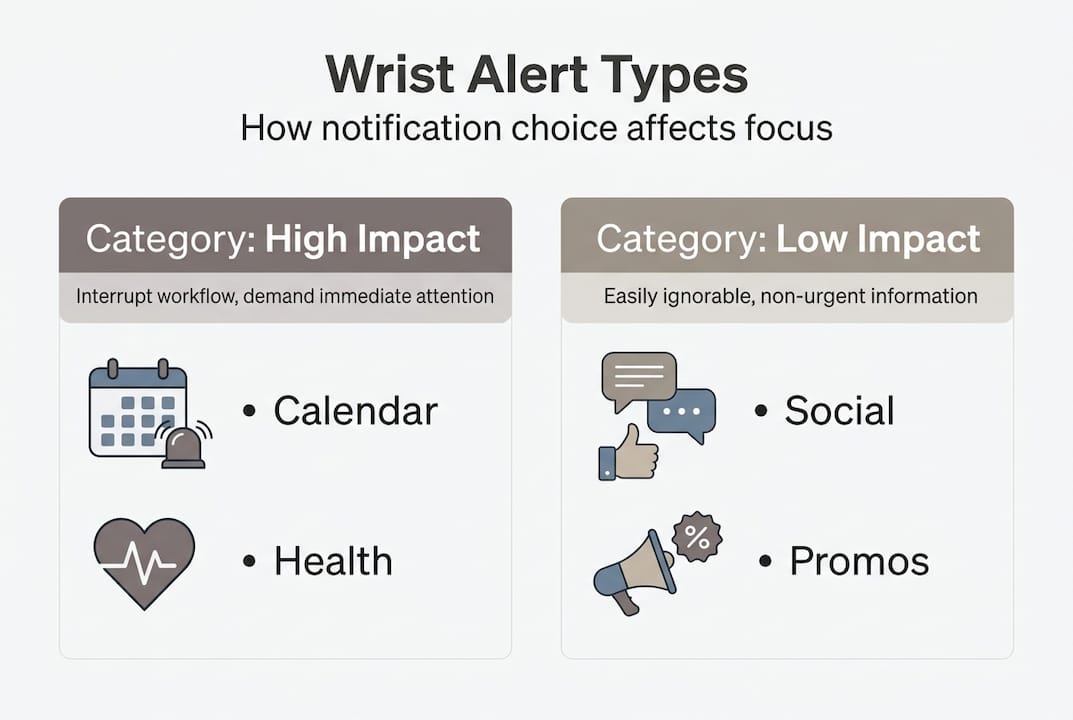
プロのヒント: 新しいアプリの通知を有効にする前に、「腕時計にふさわしいか」という基準を設けましょう。こう自問してください:クライアントとの打ち合わせ中にこの通知が届いたとき、30分以内に対応が必要になるか?答えが「いいえ」なら、その通知は腕時計には不要です。
日常のシーンで実感:最適なリストスクリーンが行動を変える
理論は役に立ちます。実際の環境で展開される様子を見ることで、より確信が深まります。
医療分野では、その効果は測定可能であり、非常に大きなものがあります。 ICUにおけるスマートウォッチのアラート スタッフの対応率が向上し、ICU平均在院日数が短縮されました。これらの成果は、患者の安全に直接影響するものです。重要な要因は、提供される情報の量ではなく、情報伝達のスピードと、患者のそばを離れることなく対応できる能力でした。
エグゼクティブやプロフェッショナルにとって、行動の変化はより微妙ながらも、同様に確かなものです。スマートウォッチは、マイクロタスクのためにスマートフォンを手に取る回数を68%削減します。これは、深い集中作業中のコンテキストスイッチの減少に直結します。会議の時間を確認したり、優先度の低い通知を閉じたりといった手首で処理できるマイクロタスクは、わずか数秒で完了します。同じ作業をスマートフォンで行うと、他の通知を経由する2分間の寄り道になってしまいます。
手首へのアラートが特に有効な環境があります:
- 役員会プレゼンテーション: さりげない一瞥で、時間を確認しながらも集中力を保てます
- 空港・旅行: ゲートの変更や乗車確認は、急を要する前にお届けします
- 患者ケアと臨床回診: プロトコルを遵守しながら、ハンズフリーで状況を把握
- クリエイティブな深い作業: 健康ナッジ機能が、画面を見なくても立ち上がりや深呼吸のタイミングをお知らせします
- クライアント向け営業電話: 他のクライアントからの緊急アラートは、会話を中断することなく届きます
「手首は、注意を奪うことなく情報を届ける唯一のインターフェースだ。」
The クラシックとコネクテッドウォッチのケーススタディ このフォーマットは、特にデュアルウォッチを取り入れたユーザーにとって試してみる価値があります。実際のユーザーからのフィードバックによると、最大の課題は技術的なものではありません。それは知覚的なもの、つまり一瞥を信頼することを学び、それでもスマートフォンに手を伸ばしたくなる衝動を抑えることです。
重要な注意点として、運転中はスマートウォッチをちらりと確認するような状況には適していません。走行中にほんの一瞬でも視線を移すことは、危険を伴います。会議室では集中力を高めてくれる同じデバイスが、ハンドルを握る場面ではリスクを高める可能性があります。メリットを得られるかどうかは、常に使用する状況によって決まります。
デュアルウォッチソリューションが現代のプロフェッショナルの成功を再定義する理由
従来の定説では、ツールを選んだら使いこなせと言われてきた。腕時計の世界では長年、その考え方が二択として定着していた。真剣なプロフェッショナルは本格的な時計を、テクノロジー志向のプロフェッショナルはスマートウォッチを身に着けるというものだ。しかし、そのような捉え方はもはや時代遅れとなっている。
私たちが目にしているのは デュアルウォッチブレスレット アーリーアダプターにとって、それは利便性を超えた何かだ。注意力を取り戻すことなのだ。機械式時計が時刻を管理し、スマートウォッチが通知を管理することで、無意識にスマートフォンへ手を伸ばすことがなくなる。境界線を設けるのは意志の力によってではなく、仕組みによってなのだ。
スマートテクノロジーを信条として拒む時計愛好家は、皮肉なことに、スマートフォンに主導権を渡してしまっている。最も大きな画面と最も攻撃的な通知設計を持つデバイスが、自動的に勝者となるのだ。両方の時計を身につけることは、妥協ではない。それは、自分の注意をどこに向けるか、そして誰にそのアクセスを許可するかについての、意図的な意思表示なのだ。
目利きの在り方は変わりつつある。今日、最も洗練されたコレクターとは、新しいツールを拒む人々ではない。自分の愛するものを変えることなく、自らの流儀でそれらを取り入れる人々こそが、真の目利きである。
洗練されたスタイルと実用性を、あなたの手首に
このガイドで明らかになったことがあるとすれば、それは高級機械式時計とスマートウォッチのどちらかを選ぶという問いかけ自体が、そもそも誤りだということです。必要な通知機能を手に入れるために、愛着のある文字盤を諦める必要はありません。
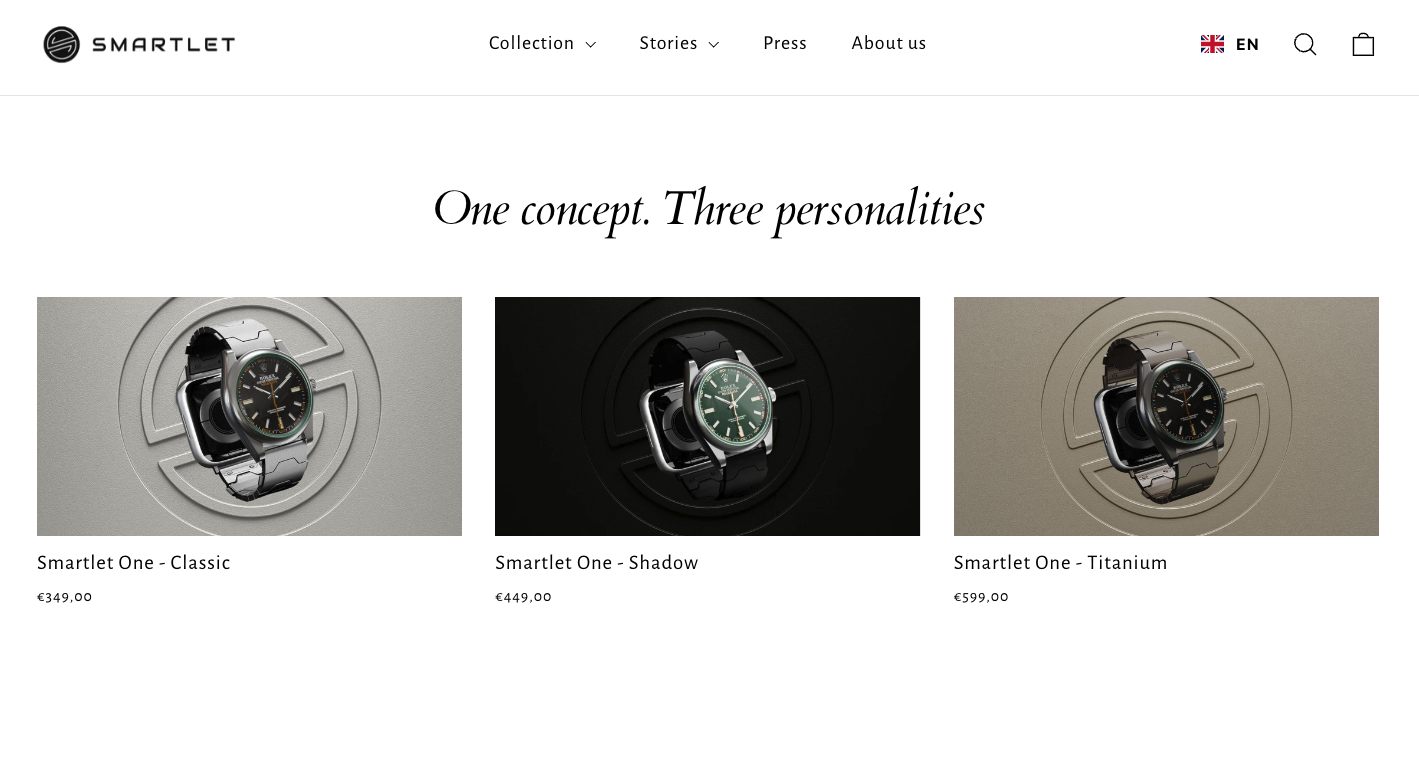
Smartletの特許取得済みモジュール式ストラップアダプターは、SS316Lスチールとチタングレード5で精密に設計されており、どちらの時計にも一切手を加えることなく、2本の時計を同じ手首に装着することができます。標準的なスプリングバーを使用し、ラグ幅18〜24mmのあらゆる時計に対応。Omega Speedmasterケースと同等の素材基準で製造されています。 スマートレット モジュラーストラップ and check the 互換性ガイド コレクションの対象資格をご確認ください。厳選された仕上げアクセサリーのセレクションについては、 スマートレットアクセサリー コレクションは、システムをさらに拡張します。選ぶ必要はありません。組み合わせてください。
よくある質問
手首への通知は本当にスマートフォンの使用時間を減らせるのでしょうか?
研究によると、スマートウォッチを使用することで、簡単なタスクにおけるスマートフォンの取り出し回数が68%削減されることが示されており、情報の確認がより迅速になり、スマートフォンを取り出す場合と比べて周囲への影響も大幅に少なくなります。
スマートウォッチが気を散らす原因にならないようにするには、どうすればよいですか?
OSレベルのフォーカスモードとトリアージ設定を活用して、手首に届く通知をアクション必要かつ時間的に重要なアラートのみに絞り込み、通知の許可設定を定期的に見直しましょう。
高級時計とスマートウォッチのスクリーンを組み合わせることはできますか?
はい。モジュール式ストラップアダプターやScanWatchのようなハイブリッドデザインを活用すれば、どちらの時計も外観を損なうことなく、スタイルを犠牲にせずに同じ手首に装着することができます。
すべての種類のアラートは、手首への通知として同様に効果的ですか?
いいえ。実行可能なアラートと視覚的なチャートが最良の結果をもたらす一方で、実行不可能な通知は 11〜19秒 あなたの集中力をひそかに分散させる「注意の残滓」。


